

Is it possible to boost your website’s rankings and traffic by just tweaking your internal links? Absolutely. Internal linking is a powerful yet often overlooked aspect of SEO that strategically connects various pages within a website. This practice resembles a well-planned city’s street network, guiding both search engines and users to valuable content. It not only improves your site’s SEO but also enhances user engagement by encouraging exploration. In this article, discover the essential steps to develop an effective internal linking strategy that strengthens site structure, improves user experience, and optimises link equity distribution.
Understanding the Importance of Internal Linking
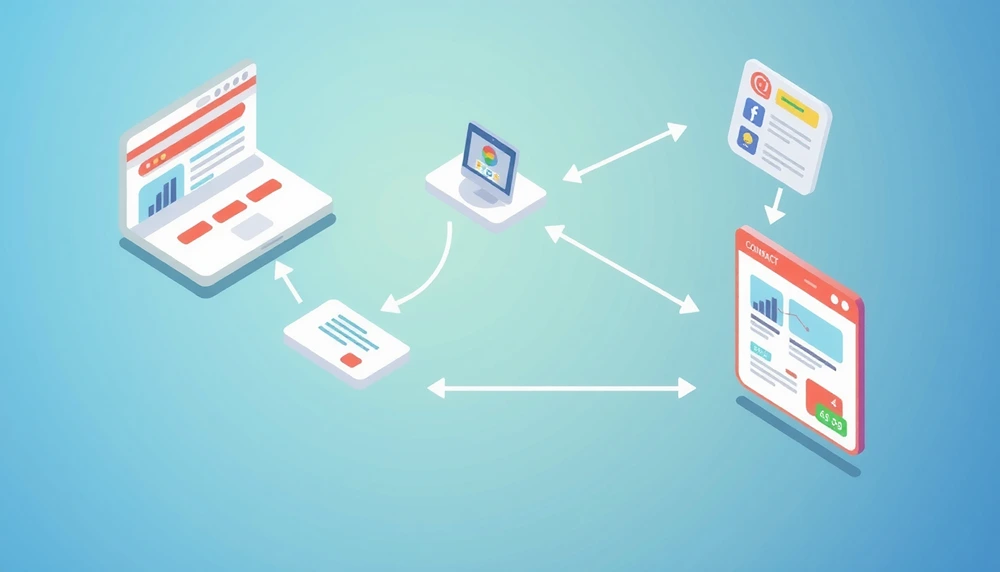
Internal linking is vital for SEO as it enhances content relevancy signals to search engines. By connecting different pages within a website, internal links help search engines understand the relationship between content, thereby improving the visibility of important pages. Search engines like Google use these links to determine the hierarchy and relevance of content on a site, influencing how it ranks in search results. This distribution of link equity ensures that even newly created content can benefit from the authority of existing pages, boosting its potential to achieve higher rankings more quickly.
Beyond search engine optimisation, internal linking significantly impacts user engagement and website structure. By guiding users through related content, internal links transform a website visit into a seamless exploratory journey. This encourages users to spend more time on the site, engaging with multiple pages and increasing the likelihood of conversions. Additionally, a well-structured internal linking strategy helps organise content logically, making it easier for users to navigate the site and find relevant information, thereby improving overall user experience.
- Improved user experience
- Better website structure
- Distribution of link equity
- Enhanced crawling efficiency
- Faster indexing of new content
Steps to Develop an Internal Linking Strategy
Developing an effective internal linking strategy begins with a comprehensive audit of your existing links. Why is an audit crucial? To identify broken links, which lead to 404 errors, and orphaned pages that aren’t linked to any other pages. These issues can hinder user experience and prevent search engines from indexing your pages efficiently. Conducting a thorough audit helps you understand your site’s current linking structure, highlighting areas that need improvement. By addressing these issues, you lay a solid foundation for a more robust linking strategy, ultimately boosting your site’s rankings and traffic.
Once the audit is complete, the next step is identifying high-authority pages within your website. High-authority pages are those that already have a significant number of external backlinks or receive substantial traffic. Why focus on these pages? Linking strategically from these pages can maximise the benefit of internal linking, as they can pass on their existing link equity to other important pages on your site. This not only enhances the authority of linked pages but also improves the site’s overall SEO performance. Identifying these pages allows you to leverage their authority more effectively, increasing visibility across your website.
Planning site architecture is essential for optimal linking. A well-planned architecture ensures that important pages are easily accessible, ideally not more than three clicks away from the homepage. This organisation aids both users and search engines in navigating the site more efficiently. By grouping related content into silos or clusters, you create a logical structure that enhances the relevance of internal links. This structure supports a more intuitive user journey, encouraging engagement and reducing bounce rates. Implementing a clear site architecture facilitates effective internal linking, improving the overall user experience and search engine visibility.
- Audit existing internal links
- Identify and fix broken links
- Find and link orphaned pages
- Identify high-authority pages
- Plan site architecture
- Implement linking techniques
Effective Linking Practices and Examples
Anchor text optimisation and contextual links are pivotal in internal linking strategies. Anchor text serves as the clickable part of a hyperlink, providing both users and search engines with context about the linked page. Optimising anchor text involves using exact match keywords more aggressively for internal links than for external backlinks, as search engines like Google are generally more lenient with internal link anchor text. This practice helps improve the relevance signals sent to search engines, potentially boosting page rankings. Contextual links, on the other hand, are placed within the content and provide seamless navigation for users, enhancing their site experience by guiding them through related topics.
Successful companies like HubSpot have mastered the art of internal linking by creating interconnected content that leads users on a logical journey through their site. HubSpot’s strategy of linking blog posts on related topics has resulted in increased user engagement and a notable 7% boost in organic traffic for certain pages. This kind of strategic linking not only enhances user experience but also improves the site’s overall SEO performance by distributing link equity effectively across the site. By following such examples, businesses can significantly improve their internal linking practices, leading to better rankings and increased traffic.
Real-World Examples
| Company | Estrategia | Outcome |
|---|---|---|
| HubSpot | Interconnected blog posts | Increased engagement, 7% boost in traffic |
| Amazon | Dynamic linking in product pages | Enhanced user journey, increased sales |
Tools and Techniques for Internal Link Analysis
Conducting internal link analysis manually is crucial for ensuring that links remain relevant and natural. Why is manual analysis important? Automation might lead to irrelevant linking and unnatural anchor text, undermining the SEO objectives. Regular updates to your internal linking strategy are necessary as your website evolves and SEO goals shift. Keeping the link structure updated enhances Google’s ability to crawl and index your site efficiently, improving search engine rankings and traffic. By manually reviewing internal links, you can maintain a logical flow of information, ensuring users have a seamless experience navigating your site.
Tools play a significant role in streamlining the internal link analysis process, offering insights that can be difficult to obtain manually. These tools help identify broken links, orphaned pages, and opportunities for strategic linking. By leveraging these tools, you can efficiently manage and optimise your website’s internal linking structure, saving time and increasing accuracy. They provide detailed reports and visualisations that simplify the auditing process, making it easier to implement changes that align with your SEO objectives. Utilising these tools allows for a more structured and informed approach to internal link management, ultimately boosting your site’s performance.
- Google Search Console
- Ahrefs Site Audit
- Screaming Frog SEO Spider
- Moz Link Explorer
Advanced Techniques for Maximising Link Value
To maximise the value of internal links, leveraging strong external backlink profiles is crucial. Pages with a robust external backlink profile carry significant authority. By linking these pages to other important pages within your site, you can distribute their link equity effectively, boosting the overall SEO performance and enhancing organic traffic growth. This strategic linking ensures that the authority flows seamlessly across your website, strengthening the rankings of linked pages.
Redirecting outdated pages is another essential technique. When a page with valuable backlinks becomes outdated, redirecting it to a relevant, updated page preserves the link equity and user intent. This practice not only maintains the SEO benefits of the original page but also enhances the user experience by guiding users to current content. Redirects should be employed thoughtfully to ensure they align with the user journey and search engine guidelines.
Addressing keyword cannibalization is vital for optimal link value. When multiple pages target the same keyword, they can compete against each other in search rankings, diluting their effectiveness. To resolve this, consider consolidating similar pages into a single, comprehensive page. This approach eliminates internal competition, allowing for a more focused and authoritative page that can achieve higher rankings and drive more traffic.
- Utilise external backlink profiles
- Redirect outdated pages
- Link from relevant internal pages
- Consolidate similar pages
- Fix broken and redirecting links
Case Studies Demonstrating Success

Amazon exemplifies the effective use of internal linking to enhance user engagement. How did Amazon achieve this? By strategically implementing dynamic linking within product pages. This approach allows users to seamlessly navigate between related products and categories, enhancing their shopping experience. By linking relevant products and categories, Amazon ensures that users can easily discover items of interest, which not only improves user satisfaction but also increases the likelihood of conversions. This strategic internal linking has played a crucial role in elevating the user journey on Amazon’s platform, ultimately driving increased sales and customer retention.
HubSpot’s internal linking strategy highlights a different aspect of success by focusing on boosting organic traffic and user interaction. How did HubSpot implement this strategy? Through the creation of interconnected blog posts that guide readers through various topics. By linking articles with related content, HubSpot facilitates a deeper exploration of topics, encouraging users to engage with multiple pieces of content during their visit. This interconnected approach not only enhances user engagement but also significantly boosts organic traffic, as evidenced by a 7% rise for specific pages. This strategy showcases the power of internal linking in improving content engagement and search engine visibility.
- Amazon: Enhanced user journey, increased sales
- HubSpot: Increased engagement, 7% rise in organic traffic
Final Words
Implementing an effective internal linking strategy can elevate both your site’s rankings and the user experience.
Through understanding its importance and following a structured approach to audits and strategic planning, substantial improvements in SEO performance become achievable.
By adopting best practices like optimising anchor texts and utilising tools for analysis, you ensure that your internal linking strategy remains robust and beneficial.
With examples from industry leaders and advanced techniques to maximise link value, improving your site’s authority and traffic can indeed be realised.
These steps position your website for improved search engine visibility and content engagement.
FAQ
How to develop an internal linking strategy to boost rankings and traffic?
A: Developing an internal linking strategy involves auditing existing links, identifying high-authority pages, fixing broken links, and planning site architecture to optimise internal links for better visibility and traffic.
What are examples of internal links?
A: Internal links connect different pages within the same website. Examples include linking a product page to a category page or a blog post linking to another related post on the site.
What are internal linking best practices?
A: Internal linking best practices include using clear anchor texts, linking relevant pages, maintaining a logical site structure, updating links regularly, and ensuring each page receives some internal links.
How many internal links per page is ideal for SEO?
A: For optimal SEO, it’s recommended to have a reasonable number of internal links, typically between 2 to 5, to avoid clutter and provide a focused navigation path for both users and search engines.
What types of internal links exist?
A: Types of internal links encompass navigational links in menus, contextual links within content, footer links, sidebar links, and breadcrumb navigation links to enhance user navigation.
What role does external linking play in SEO?
A: External linking involves linking to pages outside your site, helping to establish authority and relevance, complementing internal links by providing additional context and resources for users.
What is internal linking?
A: Internal linking refers to hyperlinks that point to pages within the same website, facilitating navigation, distributing link equity, and helping search engines understand site structure.
What tools can aid in internal linking?
A: Tools like Google Search Console, Ahrefs Site Audit, Screaming Frog SEO Spider, and Moz Link Explorer assist in analysing and managing internal links effectively.
How do you create an internal linking strategy?
A: To create an internal linking strategy, start by auditing existing links, fixing issues, identifying high-authority pages, planning site architecture, and implementing strategic linking techniques.
How can internal links be used to drive traffic towards a business?
A: Internal links drive traffic by guiding users to relevant content, enhancing user experience, distributing link equity, and improving search engine rankings, which can lead to increased visibility and engagement.
How do you create a link building strategy?
A: Creating a link building strategy involves identifying linkable assets, conducting outreach for backlinks, focusing on quality over quantity, and using varied anchor texts for a natural link profile.
What is the best way to build strong internal linking with pagination?
A: Strong internal linking with pagination involves clearly marking paginated pages, using consistent URLs, linking to the main sections consistently, and utilising canonical tags to avoid duplicate content.
